Visual Debugging of Neural Networks: Tools and Techniques
Training neural networks is a black box without proper visualization. Specialized tools help track metrics, gradients, and activations. Learn which tools to use and how to capture computations directly from the model.
AI-processed from KDnuggets; edited by Hamidun News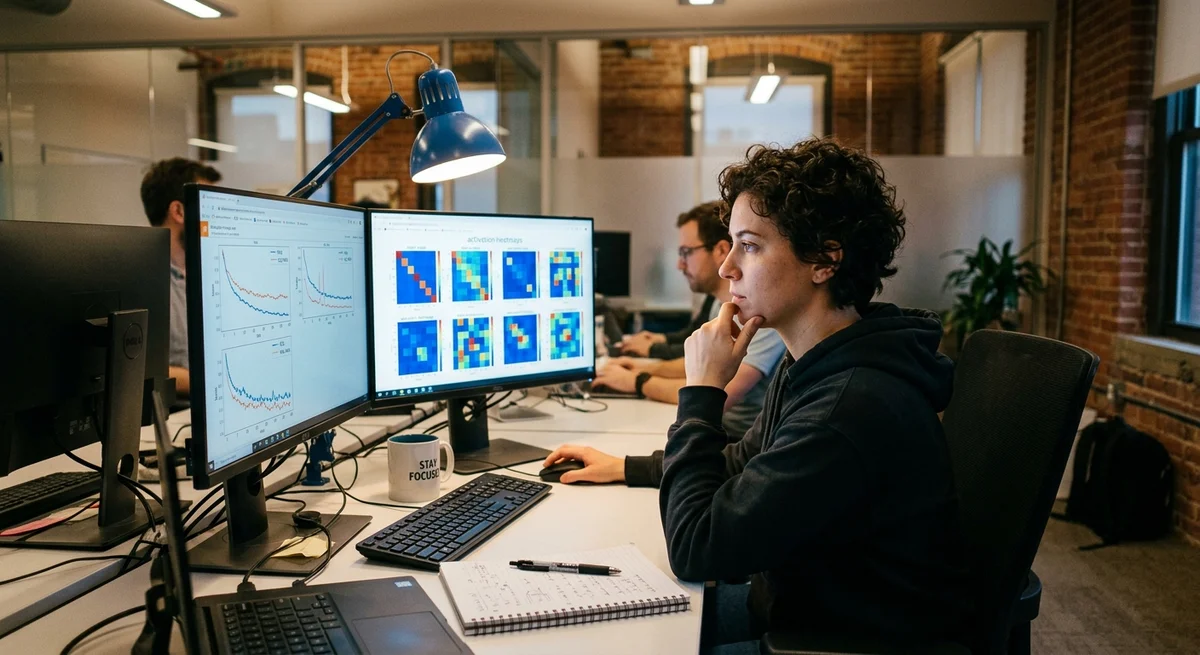
Training neural networks often feels like flying blind: losses drop, but why? Where do errors in the validation set come from? How do you understand what exactly is breaking—the architecture, the data, the learning rate? Without visualization, answers come only through trial and error, which is expensive in time. Specialized debugging tools let you look inside the model and see what happens at each stage of training, from gradients to activations of hidden layers.
What to visualize during training
During neural network training, you should track several key signals to catch problems early:
- Loss curves — the dynamics of loss on training and validation sets show whether the model is overfitting or underfitting
- Gradient distributions — their magnitude and shape indicate vanishing gradients or exploding gradients
- Activations of hidden layers — what patterns each neuron learns, whether ReLU neurons are dead
- Distribution of parameter weights — how weights change layer by layer, whether they get stuck at initialization values
- Confusion matrices and per-class metrics — where exactly the model makes mistakes, whether there is error imbalance
Without visualizing these signals, the engineer remains in the dark. You can output final accuracy, but many questions remain that only the eye can solve.
Tools for visualization
In practice, several standards are used. TensorBoard — a built-in tool in TensorFlow and PyTorch from Google. It builds interactive loss plots, real-time weight histograms, lets you project high-dimensional data (embeddings) into 2D via t-SNE and view the graph in a browser at localhost:6006. Weights & Biases — a cloud service with beautiful dashboards, built-in experiment comparison (which hyperparameter led to the best result), artifact tables. There are other tools too: Tensorboard X, Visdom, Neptune, MLflow — the choice depends on scale and budget. For one-off experiments, matplotlib with pandas is often enough.
Capturing computations directly via hooks and profiling
Simply logging aggregated metrics is only half the debugging work. Often you need to look inside individual layers on specific examples. PyTorch provides a hooks mechanism: you can register a callback that fires during the forward pass (forward hook) or backward pass (backward hook) through a specific layer.
This lets you capture activations, gradients, neuron outputs on the fly without changing the model code itself. For step-by-step debugging of PyTorch models, debugpy and pdb work, but they are slow for large batches (you can't look at 32K examples one by one). Profiling (torch.
profiler for PyTorch, NVIDIA Nsys for CUDA code) shows where exactly the model loses time: in GPU computations, data transfer between memory, thread synchronization. This is critical for optimizing production models.
Why this matters
Visual debugging turns training from a black box into a transparent and manageable process. Engineers see problems an hour earlier and experiment 10 times faster. This becomes critical in large organizations where model training takes hours or days — one day of stuck debugging costs thousands of rubles.
- Oct 28, 2026A 2015 CNN Beat GPT-6 Astra and Claude Fable 5.1 at Skin Cancer Diagnosis
- Oct 28, 2026Google taught an LLM to “sleep”: SLEEP consolidates knowledge into weights, up to 10 million tokens
- Oct 28, 2026Keystone removes the model name from code: open-source LLM gateway adds 0.64 ms
- Oct 28, 2026Wired Tested 6 AI Agents in a Day: Dots Leads, Gemini Spark Fails at Lunch
Key Questions Answered
What to visualize during training?
During neural network training, you should track several key signals to catch problems early: Loss curves — the dynamics of loss on training and validation sets show whether the model is overfitting or underfitting Gradient distributions — their magnitude and shape indicate vanishing gradients or exploding gradients Activations of hidden layers — what patterns each neuron learns, whether ReLU neurons are dead Distribution of parameter weights — how weights change layer by layer, whether they get stuck at initialization values Confusion matrices and per-class metrics — where
What are the key details on Tools for visualization?
In practice, several standards are used. TensorBoard — a built-in tool in TensorFlow and PyTorch from Google. It builds interactive loss plots, real-time weight histograms, lets you project high-dimensional data (embeddings) into 2D via t-SNE and view the graph in a browser at localhost:6006. Weights & Biases — a cloud service with beautiful dashboards, built-in experiment comparison (which hyperparameter led to the best result), artifact tables. There are other tools too: Tensorboard X, Visdom, Neptune, MLflow — the choice depends on scale and budget. For one-off experimen
What are the key details on Capturing computations directly via hooks and profiling?
Simply logging aggregated metrics is only half the debugging work. Often you need to look inside individual layers on specific examples. PyTorch provides a hooks mechanism: you can register a callback that fires during the forward pass (forward hook) or backward pass (backward hook) through a specific layer. This lets you capture activations, gradients, neuron outputs on the fly without changing the model code itself. For step-by-step debugging of PyTorch models, debugpy and pdb work, but they are slow for large batches (you can't look at 32K examples one by one). Profiling
Ship AI Faster with Founders, Engineers & Weekly Architecture Reviews
Inside Vibe Club (hamidun.com/club) — weekly live masterminds with Zhemal Khamidun, Tech Radar, full LMS access, and 370+ production Claude Code skills.
The AI world, distilled — once a week
Seven stories that actually mattered, hand-picked. No noise, no reposts, no press releases.
Done! Check your inbox for a confirmation.