Subagents in Claude Code: How to Delegate Review and Testing to Separate Agents
Claude Code quickly runs into context limits: the longer the session, the worse the agent performs. Subagents address this by moving review, testing, auditing and code research into separate agents, each with a clean context and its own set of tools. The main session receives only the final result, with no intermediate clutter.
AI-processed from Habr AI; edited by Hamidun News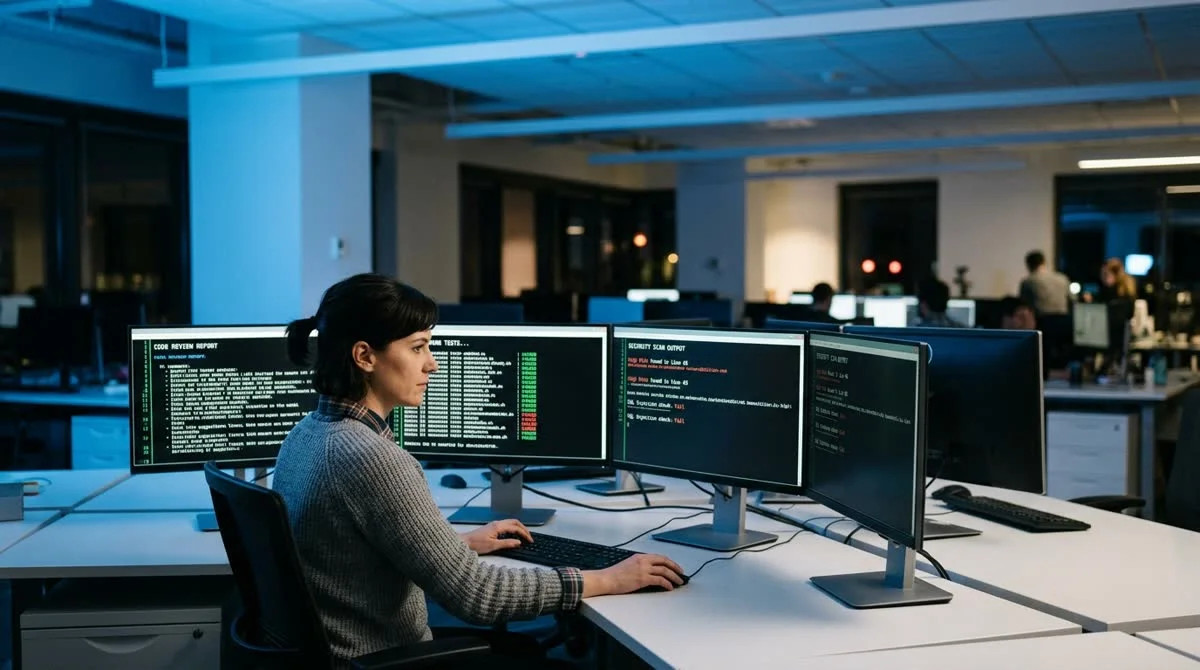
Subagents in Claude Code let you delegate resource-intensive tasks (review, testing, auditing, code research) to separate agents with independent context, tools and rules. They sidestep the tool's main limitation: running out of context window.
Why context is Claude Code's main enemy
Most developers who start working with Claude Code notice the same pattern: the tool works brilliantly at the start of a session and noticeably worse toward the middle and end. The cause is not the model's capabilities, since Anthropic regularly improves Claude. The cause is how context is handled.
Every interaction within a session accumulates in the context window: files read, plans written, edit history, tool output, command results. The longer the session, the more "clutter" builds up in the context. The model starts to lose the thread of its reasoning, contradict earlier instructions, and sometimes return to solutions it had already rejected.
The standard workaround is to split the work into short sessions. But that is inconvenient: each time you have to restore context by hand, copy over intermediate results and explain to the agent again what has already been done.
Subagents offer a systematic answer to this problem.
What subagents are and how they work
Subagents are separate agent instances that the main Claude Code session launches for specific subtasks. The key difference from manually "starting a new chat" is that delegation happens programmatically, and the result comes back to the main session in a structured form.
Each subagent runs in an isolated environment:
- Its own context window: independent of the parent session, and starting clean
- A toolset matched to the task: read-only file access for an audit, or test execution for QA
- Separate rules and instructions: the role is configured through a system prompt or a CLAUDE.md file
- An isolated working directory: when needed, the subagent works in a separate git worktree
The workflow is simple: the main agent sets the task, passes along the necessary files and context, and launches the subagent. The subagent works in an isolated session and returns only the outcome (a review report, a list of problems, finished tests) without its intermediate reasoning.
Parallelism is an added bonus. Several subagents can run at the same time: while one reviews a module, another writes tests for it. The main session coordinates the work without doing it itself.
Which tasks are best to delegate
Not every task is worth moving to a subagent, since delegation carries overhead for initialization and context transfer. But for several scenarios the payoff is clear.
Code review: analyzing a PR or a specific file requires deep immersion, but the result is compact, a prioritized list of comments. The subagent reads the code and produces a report without polluting the main context with thousands of lines.
Writing tests: the subagent receives a description of a function or a source file, writes tests, runs them and reports the result. Meanwhile the main session keeps working on other parts of the project.
Security audit: checking for vulnerabilities against an OWASP checklist and isolated security rules returns a short, prioritized list of findings without cluttering the main context.
Codebase research: finding every occurrence of a pattern or exploring an unfamiliar part of the project. The subagent returns a structured dependency map without taking up space in the main window.
What this means
Subagents change how developers work with an AI assistant. Instead of one large session that degrades as context grows, the developer orchestrates specialized agents, each working with a clean context window in its own area of responsibility. One reviews, another tests, a third hunts for vulnerabilities.
This is closer to managing a small team than to talking to a single assistant, and it is this approach that lets Claude Code handle large, multi-day tasks reliably without losing quality.
- Nov 1, 2026OpenAI Rewrites GPT Behavior Rules: Five Values and a Chain of Command
- Nov 1, 2026Google admits AI Mode cuts search revenue, shares fall 15%
- Oct 31, 2026Author puts his script before an AI jury: the verdict cost 850 thousand tokens
- Oct 31, 2026Anthropic: Fold Subagents Back Into a Single Loop — One Customer's Tasks Ran Twice as Fast
Key Questions Answered
Why context is Claude Code's main enemy?
Most developers who start working with Claude Code notice the same pattern: the tool works brilliantly at the start of a session and noticeably worse toward the middle and end. The cause is not the model's capabilities, since Anthropic regularly improves Claude. The cause is how context is handled. Every interaction within a session accumulates in the context window: files read, plans written, edit history, tool output, command results. The longer the session, the more "clutter" builds up in the context. The model starts to lose the thread of its reasoning, contradict earli
What subagents are and how they work?
Subagents are separate agent instances that the main Claude Code session launches for specific subtasks. The key difference from manually "starting a new chat" is that delegation happens programmatically, and the result comes back to the main session in a structured form. Each subagent runs in an isolated environment: Its own context window: independent of the parent session, and starting clean A toolset matched to the task: read-only file access for an audit, or test execution for QA Separate rules and instructions: the role is configured through a system prompt or a CLAUD
Which tasks are best to delegate?
Not every task is worth moving to a subagent, since delegation carries overhead for initialization and context transfer. But for several scenarios the payoff is clear. Code review: analyzing a PR or a specific file requires deep immersion, but the result is compact, a prioritized list of comments. The subagent reads the code and produces a report without polluting the main context with thousands of lines. Writing tests: the subagent receives a description of a function or a source file, writes tests, runs them and reports the result. Meanwhile the main session keeps working
Build & Ship Production AI Agents Without Boilerplate Code
Start your free 72-hour trial at Hamidun Academy (academy.hamidun.com) — interactive lessons on Claude Code & Cursor, live Tech Radar, and production agent templates.
The AI world, distilled — once a week
Seven stories that actually mattered, hand-picked. No noise, no reposts, no press releases.
Done! Check your inbox for a confirmation.