Canva AI 2.0: All of Design Through a Single Text Prompt
Canva has unveiled Canva AI 2.0, an update that moves design onto text prompts. A new orchestration layer brings the platform's entire set of AI tools into one conversational window. Instead of making manual edits through menus, users describe the result they want in words, and the assistant picks and applies the right Canva features on its own, aimed at designers and marketers. The update was released in April 2026 and adds prompt-based editing: changes to a layout are described in text rather than made by hand.
AI-processed from The Verge; edited by Hamidun News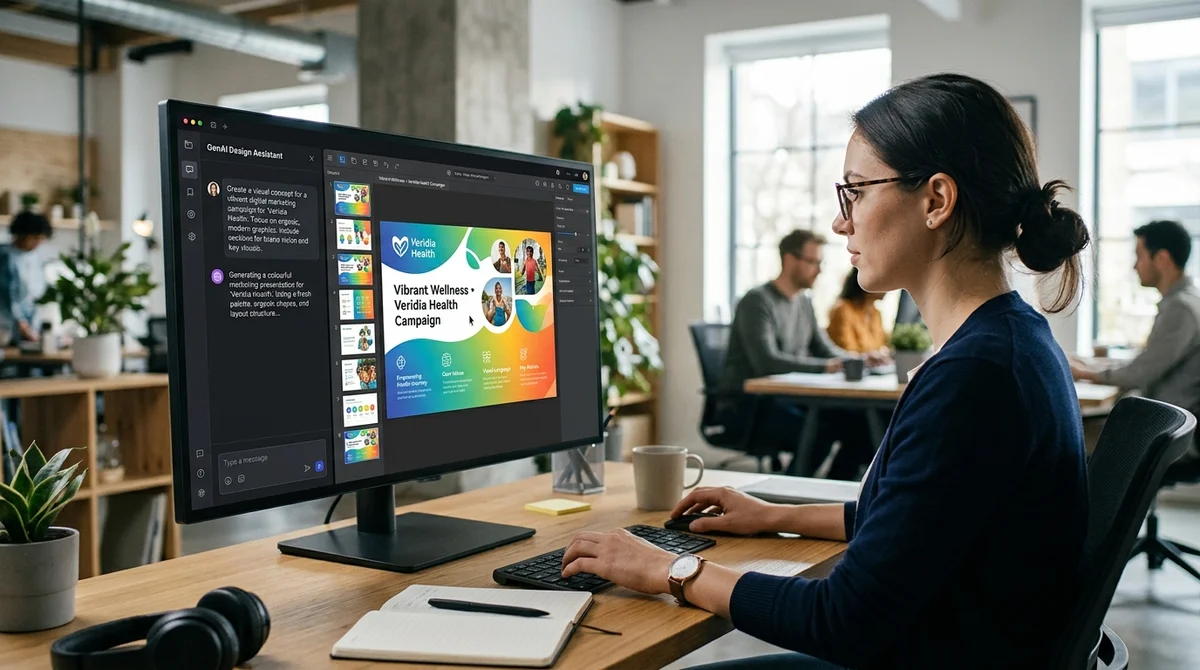
In April 2026, Canva released Canva AI 2.0, an update that moves the creation and editing of designs onto text prompts: users describe in words what they want done, and the platform's AI assistant does it, instead of the user hunting through menus for the right tool.
What changed in Canva's toolset
Canva has completely rebuilt its toolset for design and collaboration. The company is aiming to become the central hub for creating content with AI, which is how The Verge describes the goal of the update. The main novelty is a new orchestration layer for the platform's AI models: it gives designers and marketers access to Canva's entire toolset from one conversational window, with no switching between the separate editors and panels the platform used to consist of.
- The update is called Canva AI 2.0 and was announced in April 2026
- Prompt-based editing has been added: changes to a layout are described in text instead of manual actions in menus
- A new orchestration layer connects all of the platform's AI models in one conversational interface
- The full Canva toolset is accessible from a single chat with the assistant
- The update is aimed primarily at designers and marketers
How the conversation with Canva's assistant works now
Users state a task in the chat in plain words, describing what they want to create or change in their work, and Canva's assistant decides for itself which tool or platform function to apply to get the result. This removes the need to look for the right editor by hand among the platform's many sections: previously each operation required opening a separate tool, whereas now, as Canva sees it, a single text command in a shared chat is enough.
"Canva aims to become the ultimate centralized hub for creating AI content," is how
The Verge describes the goal of the update.
Why Canva is betting on prompts
Betting on text prompts instead of toolbars is a common trend among large content platforms, and Canva describes its move precisely as an attempt to merge scattered features into a single assistant-driven experience. For teams of marketers and designers, this means they do not need to remember which section of the interface holds a given function; it is enough to state the task in words in the shared AI chat.
What this means
Canva is betting on the same direction as other large content platforms: the interface of menus and buttons is giving way to a conversational interface in which an AI assistant does the main design work from a text description of the task.
Frequently asked questions
What is the orchestration layer in Canva AI 2.0?
It is a new control layer for Canva's AI models that brings the platform's entire toolset into one conversational interface, so users do not have to switch between separate editors.
How do you edit a design in Canva now?
Instead of making edits through menus, users describe the change they want in text in the chat with Canva's assistant, and the platform picks the right tool itself and applies the changes to the design.
Who is the Canva AI 2.0 update for?
The company is targeting the new conversational interface primarily at designers and marketers who need access to the platform's entire toolset without switching between separate editors.
Key Questions Answered
What is the orchestration layer in Canva AI 2.0?
It is a new control layer for Canva's AI models that brings the platform's entire toolset into one conversational interface, so users do not have to switch between separate editors.
How do you edit a design in Canva now?
Instead of making edits through menus, users describe the change they want in text in the chat with Canva's assistant, and the platform picks the right tool itself and applies the changes to the design.
Who is the Canva AI 2.0 update for?
The company is targeting the new conversational interface primarily at designers and marketers who need access to the platform's entire toolset without switching between separate editors.
Test Frontier LLMs & Autonomous Agents in One Workspace
Run Claude Opus 5.5, GPT-6, Gemini 3.1, and DeepSeek side-by-side in Nomad AI (nomadnet.ai) — unified model routing, deep research, and multimodal workflows under one subscription.
The AI world, distilled — once a week
Seven stories that actually mattered, hand-picked. No noise, no reposts, no press releases.
Done! Check your inbox for a confirmation.