Anthropic adds auto mode to Claude Code: fewer confirmations and protection from dangerous commands
Anthropic launched a new auto mode for Claude Code — an intermediate mode between manual confirmation and complete removal of restrictions. It skips safe edits and commands without extra pauses, and risky actions like deletion, force push or work with external infrastructure are blocked through a separate classifier. The mode is currently in research preview and does not override manual review for sensitive tasks.
AI-processed from ZDNet AI; edited by Hamidun News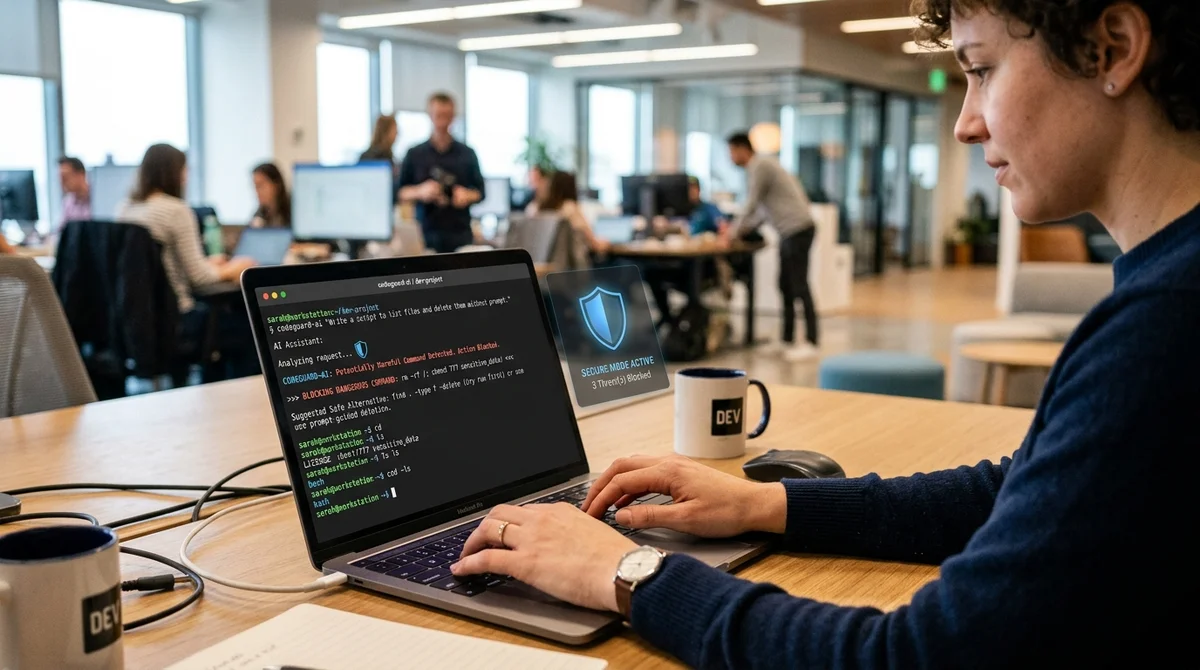
Anthropic added auto mode to Claude Code: fewer confirmations and protection from dangerous commands
Anthropicintroduced a new auto mode in Claude Code — a mode that removes most of the annoying confirmations, but doesn't let the AI agent run in completely free mode. The idea is to speed up long coding sessions while preventing the model from accidentally deleting branches, stealing secrets, or accessing production.
How the mode works
Until now, Claude Code users faced an unpleasant choice. Either confirm almost every file edit, shell command, and network request, or go into a mode with minimal restrictions and take all the risk yourself. At Anthropic, they say developers confirm about 93% of permission requests. This means protection formally exists, but in practice quickly turns into routine: a person clicks approve almost automatically and stops paying careful attention to what the agent is actually about to do.
Auto mode is designed as a middle ground between manual control and the `--dangerously-skip-permissions` flag. For typical tasks, Claude Code can work without stopping, and questionable actions are sent not to a human, but to a separate classifier. The scheme is two-layered: first, server-side protection checks tool output for prompt injection, then a second layer analyzes the agent's action itself — for example, a command, network call, or attempt to spawn a subagent. If the action looks irreversible, suspicious, or outside the scope of the user's request, it gets blocked.
What gets blocked
Anthropicdeliberately left conservative default settings for auto mode. Within the working project, Claude Code can freely edit files and perform normal development steps without wasting time on checks. But as soon as actions with significant damage potential come up, separate security logic kicks in. By default, the mode considers only the current directory and configured remote repositories trustworthy, while everything else is perceived as an external environment.
- force push and direct pushes to main
- irreversible deletion of old files and bulk deletions in cloud storage
- production deployments, migrations, and edits to shared infrastructure
- sending secrets, `.env`, or internal code to untrusted addresses
- running downloaded code like `curl | bash`
If a team needs to allow more, the boundaries can be described through settings: add trusted domains, buckets, repositories, and internal services. This is important for companies where an agent really needs to push to a corporate GitHub org, write to cloud storage, or access internal APIs. At the same time, Anthropic specifically emphasizes that rules from the repository's common file cannot themselves expand the allow-list and thereby bypass protection.
Where risks remain
Anthropic is not selling auto mode as absolute protection, and this is perhaps the main advantage of the rollout. Based on internal tests on real traffic, the full pipeline gave about 0.4% false positives, but missed approximately 17% of dangerous "overly zealous" actions. For a mode that should be safer than completely disabling confirmations, this is already a useful step. For working with production, secrets, or critical infrastructure — still not enough to relax and remove the human from the loop.
"Auto mode is designed as a replacement for
dangerously-skip-permissions without returning to constant pauses."
This is why the feature is currently in research preview. It's not available to everyone: you need the appropriate Claude Code tier, administrator enablement for team accounts, a compatible Sonnet 4.6 or Opus 4.6 model, and Anthropic API as the provider. If the classifier blocks actions three times in a row or 20 times per session, Claude Code returns to normal confirmations. That is, the system doesn't just cut risky steps, but also knows how to stop an autonomous session if it sees the agent too persistently pushing a dangerous scenario.
What this means
Claude Code is taking an important step from "chat assistant for code" to a full-fledged agent that can be given long tasks without constant oversight. But Anthropic honestly shows the boundaries: auto mode is not a magical autopilot, but a compromise security layer that is noticeably more convenient than manual approve windows and far more reasonable than completely removing restrictions.
- Oct 28, 2026Wired Tested 6 AI Agents in a Day: Dots Leads, Gemini Spark Fails at Lunch
- Oct 28, 2026Anthropic files for IPO: $16.3 billion in revenue in six months, ticker ANT
- Oct 28, 2026Anthropic reveals how it builds Claude with Claude: the brain separate from the hands
- Oct 28, 2026Anthropic Turns Claude Code Into a Platform: Claude Mods Flip the Agent Harness
Key Questions Answered
How the mode works?
Until now, Claude Code users faced an unpleasant choice. Either confirm almost every file edit, shell command, and network request, or go into a mode with minimal restrictions and take all the risk yourself. At Anthropic, they say developers confirm about 93% of permission requests. This means protection formally exists, but in practice quickly turns into routine: a person clicks approve almost automatically and stops paying careful attention to what the agent is actually about to do. Auto mode is designed as a middle ground between manual control and the `--dangerously-ski
What gets blocked?
Anthropicdeliberately left conservative default settings for auto mode. Within the working project, Claude Code can freely edit files and perform normal development steps without wasting time on checks. But as soon as actions with significant damage potential come up, separate security logic kicks in. By default, the mode considers only the current directory and configured remote repositories trustworthy, while everything else is perceived as an external environment. force push and direct pushes to main irreversible deletion of old files and bulk deletions in cloud storage
Where risks remain?
Anthropic is not selling auto mode as absolute protection, and this is perhaps the main advantage of the rollout. Based on internal tests on real traffic, the full pipeline gave about 0.4% false positives, but missed approximately 17% of dangerous "overly zealous" actions. For a mode that should be safer than completely disabling confirmations, this is already a useful step. For working with production, secrets, or critical infrastructure — still not enough to relax and remove the human from the loop. "Auto mode is designed as a replacement for dangerously-skip-permissions
Build & Ship Production AI Agents Without Boilerplate Code
Start your free 72-hour trial at Hamidun Academy (academy.hamidun.com) — interactive lessons on Claude Code & Cursor, live Tech Radar, and production agent templates.
The AI world, distilled — once a week
Seven stories that actually mattered, hand-picked. No noise, no reposts, no press releases.
Done! Check your inbox for a confirmation.