'Anna' is being developed on OpenClaw — an AI assistant for Windows with Telegram and email
A project called 'Anna' has emerged — a personal AI assistant for Windows inspired by the film 'Her' and the OpenClaw ecosystem. The MVP already includes a desktop app built with Electron and React, an initial setup wizard, chat with local history, Telegram, and email support. Next, the creator wants to add a calendar, news, search across personal documents, autonomous background event monitoring, and task management.
AI-processed from Habr AI; edited by Hamidun News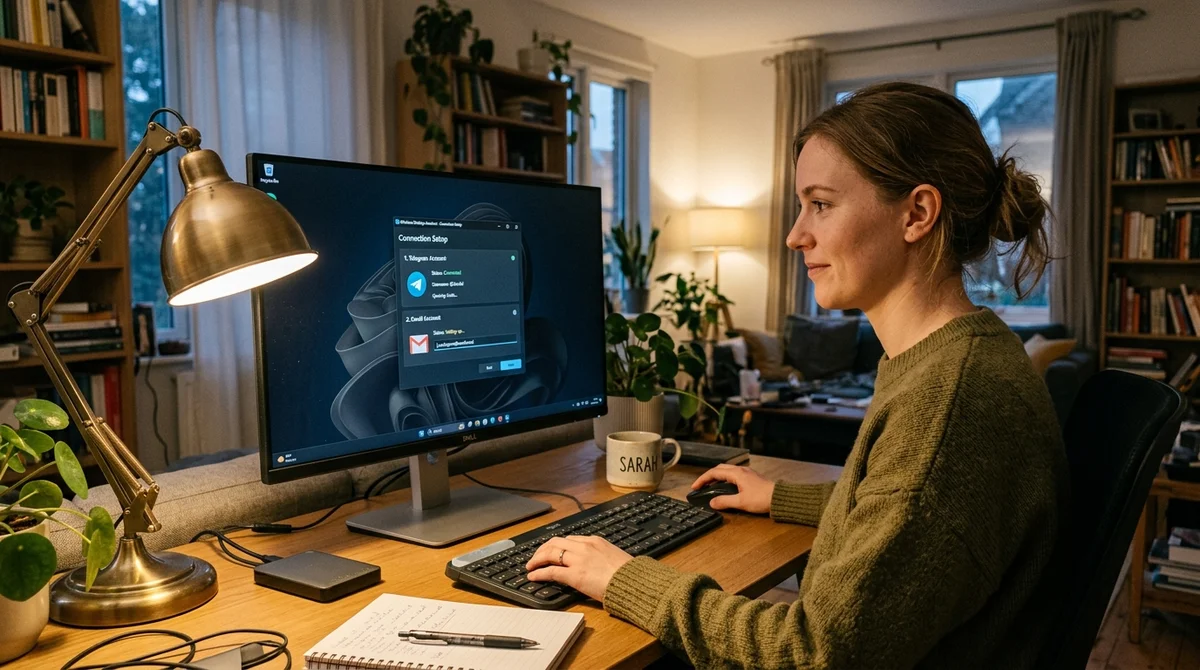
A developer has shown a prototype of "Anna" — an AI assistant for Windows that should run constantly on a home computer and help the user not only in chat but also in the background. The project is conceived as a more user-friendly alternative to complex agent systems: instead of a terminal and manual configuration — a regular desktop application with an understandable startup wizard.
From Idea to Product
The project was prompted by two things: the film "Her" and the author's interest in OpenClaw. An additional boost came from the buzz around OpenClaw, which by that time had garnered about 300 thousand stars on GitHub. After becoming familiar with this stack, the idea of a "home AI operating system" stopped looking like pure fantasy: the assistant can already communicate almost like a conversational partner and perform useful actions.
But very quickly the limitations of such an approach became apparent. To get started, you need to understand the internal mechanics of nodes, channels and connections between components, and the configuration itself happens through a text wizard in the terminal. For an engineer this is tolerable, for a mass user — almost a guaranteed barrier.
In response to this problem, the author decided to build not another set of scripts, but a product for a person without technical training. The logic is simple: the user installs the program on Windows, goes through step-by-step onboarding, connects the necessary services and in a few words describes what they want from the assistant. After that, "Anna" should live next to the user constantly, receive commands from the application window or Telegram and herself reach out if something important happens — for example, an email arrives, a product price changes, or a reminder is due.
What's Already Ready
At the current stage, the project already has a working prototype in the form of a full-featured desktop application on Electron and React. This is not a console build for enthusiasts, but a familiar Windows program with a graphical interface, built-in chat and local storage of chat history. After a restart, the dialog is not lost, and initial setup is moved to a separate startup wizard. That is, the user does not need to manually search for configs, edit environment variables and figure out which service connects to what.
- Full-featured Windows application with GUI
- Chat with local message history storage
- Creating background tasks in plain language
- Integration with Telegram and email
The second important part of the MVP is the transition from a regular chatbot to a permanent assistant. The prototype already knows how to take natural formulations like "remind me in an hour" or "check this every day" and turn them into background tasks. In addition, the project already has external communication channels: Telegram for everyday communication and email for reading, displaying and composing messages. Because of this, "Anna" starts to work not as a separate window on the desktop, but as a service that can monitor events and return to the user only at the right moment.
Next MVP Stage
Next, the author wants to strengthen not demonstration effects, but practical usefulness. The roadmap is centered on scenarios that an ordinary person can really use every day: reminders, email review, price tracking, search in personal files and morning summary of the day. To do this, the project plans to develop step-by-step onboarding and add connection of basic data sources: weather, news, Brave Search and Google Calendar. Then the assistant will be able to, on request, collect not an answer "from scratch," but a short, current picture of the day from real services.
"I don't want to build a project around magic for magic's sake."
A separate priority is RAG search across local documents and smarter background monitoring. The idea is that the user can ask about an old contract, note or instruction without manually copying the text into the chat, and the system will itself find the necessary fragment in their folders. In parallel, the author wants to teach "Anna" to monitor prices, product availability, changes on websites and important emails, and in the future — launch Chrome, open regular Windows applications and perform allowed actions on a home PC. This already makes the project closer not to a chat interface, but to a personal agent.
What This Means
The "Anna" project clearly shows where the market for personal AI tools can shift: from impressive but complex agent frameworks to local assistants with simple onboarding, clear integrations and proactive behavior. The main question here is not how impressively the model responds, but whether a person without a technical background can use such an assistant every day. If yes, then the next step for AI products is not another chat, but a constant digital layer on top of the computer and personal services.
- Oct 28, 2026A 2015 CNN Beat GPT-6 Astra and Claude Fable 5.1 at Skin Cancer Diagnosis
- Oct 28, 2026Google taught an LLM to “sleep”: SLEEP consolidates knowledge into weights, up to 10 million tokens
- Oct 28, 2026Keystone removes the model name from code: open-source LLM gateway adds 0.64 ms
- Oct 28, 2026Wired Tested 6 AI Agents in a Day: Dots Leads, Gemini Spark Fails at Lunch
Key Questions Answered
What are the key details on From Idea to Product?
The project was prompted by two things: the film "Her" and the author's interest in OpenClaw. An additional boost came from the buzz around OpenClaw, which by that time had garnered about 300 thousand stars on GitHub. After becoming familiar with this stack, the idea of a "home AI operating system" stopped looking like pure fantasy: the assistant can already communicate almost like a conversational partner and perform useful actions. But very quickly the limitations of such an approach became apparent. To get started, you need to understand the internal mechanics of nodes,
What's Already Ready?
At the current stage, the project already has a working prototype in the form of a full-featured desktop application on Electron and React. This is not a console build for enthusiasts, but a familiar Windows program with a graphical interface, built-in chat and local storage of chat history. After a restart, the dialog is not lost, and initial setup is moved to a separate startup wizard. That is, the user does not need to manually search for configs, edit environment variables and figure out which service connects to what. Full-featured Windows application with GUI Chat wit
What are the key details on Next MVP Stage?
Next, the author wants to strengthen not demonstration effects, but practical usefulness. The roadmap is centered on scenarios that an ordinary person can really use every day: reminders, email review, price tracking, search in personal files and morning summary of the day. To do this, the project plans to develop step-by-step onboarding and add connection of basic data sources: weather, news, Brave Search and Google Calendar. Then the assistant will be able to, on request, collect not an answer "from scratch," but a short, current picture of the day from real services. "I
Build & Ship Production AI Agents Without Boilerplate Code
Start your free 72-hour trial at Hamidun Academy (academy.hamidun.com) — interactive lessons on Claude Code & Cursor, live Tech Radar, and production agent templates.
The AI world, distilled — once a week
Seven stories that actually mattered, hand-picked. No noise, no reposts, no press releases.
Done! Check your inbox for a confirmation.