Copilot Returns to Windows 11 as Microsoft's Sidebar
Microsoft has returned Copilot to Windows 11 as a sidebar that can be pinned to the left or right edge of the screen. The operating system will automatically shift other windows to free up space for the assistant. This feature brings back an idea that Microsoft promoted when launching Copilot last year. The update is rolling out gradually to users.
AI-processed from 3DNews AI; edited by Hamidun News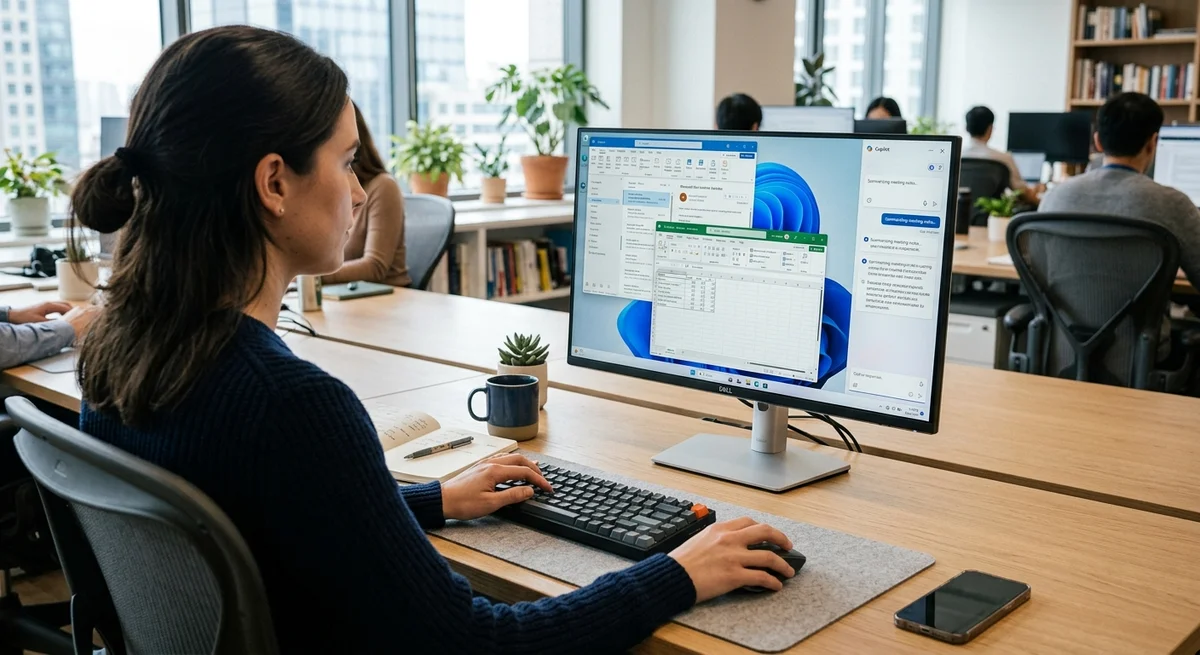
Microsoft returned the AI assistant Copilot to Windows 11 in the format of a side panel — exactly in the form that the company promoted at the launch of the assistant in early 2024. The update is rolling out gradually among users and allows you to pin Copilot to the left or right edge of the screen with automatic shifting of other windows.
How the new Copilot sidebar works
Copilot can now be pinned as a permanent panel at the edge of the screen — on the left or right side of the user's choice. When the panel is activated, Windows 11 automatically redistributes space: windows of other applications shift, freeing up space for the assistant. This makes it possible to have an AI assistant in your field of view without needing to open a separate window or constantly switch between applications.
The panel includes a full-featured Copilot interface with chat, the ability to ask a question or get a recommendation for the current task. Microsoft has provided that users will be able to collapse or expand the panel with one movement depending on whether they need access to the assistant at the moment. Integration with the operating system means that Copilot can take context into account — which application is open in front of the user, what they are doing, and offer relevant assistance.
History of return to the side panel
When Microsoft first announced Copilot for Windows 11 in early 2024, the company actively promoted the idea of a side panel as the primary way to interact with the assistant. This seemed logical: a constantly visible assistant does not distract from the main work and is always at hand. However, in the development and release process, the strategy changed: the assistant was integrated more minimally, without a dedicated panel interface.
Users could access Copilot through a button on the taskbar, but there was no full-featured side panel. The decision to return to the original idea suggests that Microsoft has gathered enough data and feedback from users to be confident that the side panel is indeed more convenient than a hidden interface. This format makes more sense with Microsoft's philosophy of constant access to AI, which the company tries to promote to Windows operating system users.
- Always visible and accessible without additional clicks
- Does not take up the entire screen, leaving room for the main application
- Allows you to work simultaneously with an application and an AI assistant
- The system automatically organizes the workspace and shifts windows
- Can be quickly expanded or collapsed as needed
Practical meaning for users
For the average user, this means more natural and convenient access to AI while working. Instead of looking for a button in the taskbar or opening a separate browser window, you can simply look at the side panel and immediately ask the assistant a question. This is especially useful when working with documents, spreadsheets, code, or any tasks that require quick consultation.
AI can help with text checking, explaining complex code, searching for information, or generating ideas. The update is rolling out gradually among users, which allows Microsoft to collect feedback and make adjustments before full release. This approach minimizes the risk that the new interface will cause a negative reaction from most users.
Gradual deployment also gives people time to get used to the changes without a sharp change to the entire workspace.
What this means
The return of the Copilot side panel is a clear signal from Microsoft about the priority of integrating AI into the daily work of Windows users. The company is convinced that the assistant should always be at hand and easily accessible, rather than hidden deep in the system menu. If the update is well received, this could become the standard for future versions of Windows and other products in the ecosystem.
- Oct 28, 2026Keystone removes the model name from code: open-source LLM gateway adds 0.64 ms
- Oct 28, 2026Bayer Launches Multi-Agent Engine on AgentCore: 80% of Questions Handled Without Engineers
- Oct 28, 2026Anthropic files S-1 for IPO at $2 trillion valuation: 85% margin, profitable Q2
- Oct 28, 2026Meta releases Muse Spark Open: 816B parameters and the lead among US open-weight models
Key Questions Answered
How the new Copilot sidebar works?
Copilot can now be pinned as a permanent panel at the edge of the screen — on the left or right side of the user's choice. When the panel is activated, Windows 11 automatically redistributes space: windows of other applications shift, freeing up space for the assistant. This makes it possible to have an AI assistant in your field of view without needing to open a separate window or constantly switch between applications. The panel includes a full-featured Copilot interface with chat, the ability to ask a question or get a recommendation for the current task. Microsoft has p
What are the key details on History of return to the side panel?
When Microsoft first announced Copilot for Windows 11 in early 2024, the company actively promoted the idea of a side panel as the primary way to interact with the assistant. This seemed logical: a constantly visible assistant does not distract from the main work and is always at hand. However, in the development and release process, the strategy changed: the assistant was integrated more minimally, without a dedicated panel interface. Users could access Copilot through a button on the taskbar, but there was no full-featured side panel. The decision to return to the origina
What are the key details on Practical meaning for users?
For the average user, this means more natural and convenient access to AI while working. Instead of looking for a button in the taskbar or opening a separate browser window, you can simply look at the side panel and immediately ask the assistant a question. This is especially useful when working with documents, spreadsheets, code, or any tasks that require quick consultation. AI can help with text checking, explaining complex code, searching for information, or generating ideas. The update is rolling out gradually among users, which allows Microsoft to collect feedback and
Build & Ship Production AI Agents Without Boilerplate Code
Start your free 72-hour trial at Hamidun Academy (academy.hamidun.com) — interactive lessons on Claude Code & Cursor, live Tech Radar, and production agent templates.
The AI world, distilled — once a week
Seven stories that actually mattered, hand-picked. No noise, no reposts, no press releases.
Done! Check your inbox for a confirmation.