How MCP servers turn IDEs into smart developer assistants
A developer ran into a familiar problem: language models generate catchy domain names that are already taken. Instead of checking each option by hand, he connected his own MCP server with WHOIS lookups to Cursor IDE. Now the AI agent suggests domains and checks their availability instantly. The case shows how MCP is changing AI assistants: the model is no longer sealed off from the outside world and can reach real external services directly from the development environment.
AI-processed from Habr AI; edited by Hamidun News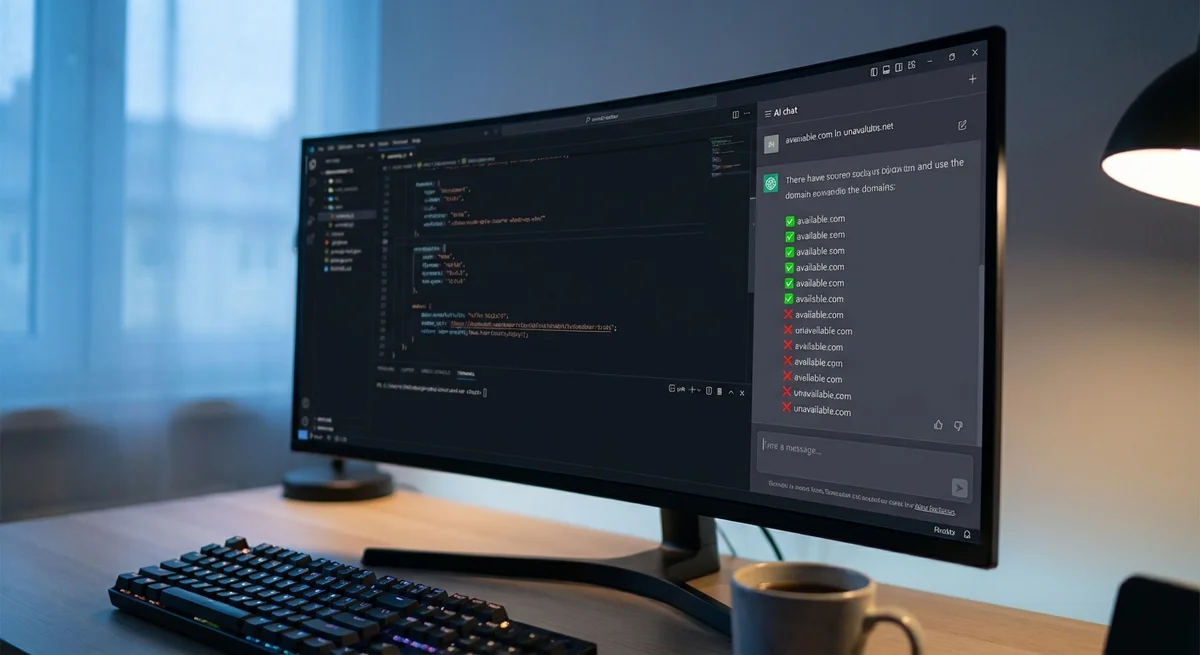
# An MCP server fixes AI's perennial domain-name problem: the agent checks WHOIS itself after 5 minutes of setup
A Habr developer connected Cursor IDE to his own MCP server for WHOIS lookups. The AI agent no longer just suggests domain names: it filters out taken ones immediately and shows only available options. According to the author, the whole setup takes about five minutes.
The problem: LLMs can't see WHOIS in real time
Anyone who has asked ChatGPT or Claude to come up with a domain name knows the loop: the model produces a dozen brilliant options, you open a registrar, and every one is taken. The cause lies in how language models work: they operate on a frozen snapshot of data and cannot query a WHOIS server on the fly to check whether a name is available. Checking each option by hand is enough to kill anyone's enthusiasm.
It started with a specific incident. The day before, the author had launched a joke service that unexpectedly drew traffic, and he decided to go global. While hunting for a .com domain, he hit this classic pain point: LLMs generate catchy names that are already taken.
The solution: a custom MCP server and Cursor
The developer wrote his own MCP server that takes a domain name and returns the result of a WHOIS query, then connected it to Cursor, a popular IDE with a built-in AI assistant. Model Context Protocol (MCP) is an open standard proposed by Anthropic that lets language models interact with external tools and data sources through a unified interface. Previously, this required writing complex function-calling integrations; now you just plug in a ready-made "plugin."
The result: the agent inside Cursor comes up with a domain for the project, immediately calls the MCP server, checks each name's availability via WHOIS, and returns only the available options. The entire cycle happens in one window, with no context switching. According to the author, setup takes about five minutes: you just add the MCP server configuration to Cursor's settings.
MCP as a new infrastructure layer for AI agents
The case matters beyond domain checks. Before MCP, the AI assistant in an IDE was essentially a very smart autocomplete: it generated, explained, and refactored code, but stayed locked inside its language abilities. Now the model becomes an orchestrator: it doesn't just think, it acts, calling external APIs, databases, file systems, and other services.
The MCP server ecosystem is growing fast. Ready-made servers already exist for GitHub, Slack, databases, file storage, browsers, and dozens of other tools. Cursor, Claude Desktop, and a number of other clients support the protocol natively. A new infrastructure layer is taking shape: a kind of "app store" for language models, where each MCP server adds a specific skill to the agent.
Limitations: local hosting and open security questions
For now, MCP servers require running locally or self-hosting, security questions around giving a model access to external services remain open, and the standard itself is still evolving. Still, the direction is clear: the future of AI assistants lies not in isolated text generation but in the ability to act in the real world through tools, and a small MCP server for checking domains is a clear illustration of that shift.
What is Model Context Protocol (MCP)?
MCP is an open standard proposed by Anthropic that lets language models interact with external tools and data sources through a unified interface. It replaces complex function-calling integrations with a ready-made "plugin" — an MCP server — that gives the model access to a specific skill, whether that's WHOIS lookups or working with GitHub, Slack, databases, or file storage.
Why can't AI check on its own whether a domain is available?
A language model works with a frozen snapshot of training data and has no direct real-time access to external sources, so it cannot query a WHOIS server on its own to find out whether a domain name is taken. That's why LLMs generate catchy names that are often already taken: without an external tool like an MCP server, the model simply has no way to check.
How long does it take to set up an MCP server for domain checks in
Cursor?
According to the author, setup takes about five minutes: you just add the MCP server configuration to Cursor's settings. After that, the agent generates domain options itself and immediately checks their availability via WHOIS, returning only available names.
- Nov 2, 2026Meta's Muse assistant keeps dossiers on loved ones and gets root on Ubuntu by default
- Nov 1, 2026Local models lose to Opus and Codex: 0.21 on a MacBook versus 1.00 for Codex
- Nov 1, 2026Kimi scores 96.2% on a 1C database analytics test and emerges as a fallback if Claude access is blocked
- Nov 1, 2026OpenAI Rewrites GPT Behavior Rules: Five Values and a Chain of Command
Key Questions Answered
What is Model Context Protocol (MCP)?
MCP is an open standard proposed by Anthropic that lets language models interact with external tools and data sources through a unified interface. It replaces complex function-calling integrations with a ready-made "plugin" — an MCP server — that gives the model access to a specific skill, whether that's WHOIS lookups or working with GitHub, Slack, databases, or file storage.
Why can't AI check on its own whether a domain is available?
A language model works with a frozen snapshot of training data and has no direct real-time access to external sources, so it cannot query a WHOIS server on its own to find out whether a domain name is taken. That's why LLMs generate catchy names that are often already taken: without an external tool like an MCP server, the model simply has no way to check.
How long does it take to set up an MCP server for domain checks in Cursor?
According to the author, setup takes about five minutes: you just add the MCP server configuration to Cursor's settings. After that, the agent generates domain options itself and immediately checks their availability via WHOIS, returning only available names.
Build & Ship Production AI Agents Without Boilerplate Code
Start your free 72-hour trial at Hamidun Academy (academy.hamidun.com) — interactive lessons on Claude Code & Cursor, live Tech Radar, and production agent templates.
The AI world, distilled — once a week
Seven stories that actually mattered, hand-picked. No noise, no reposts, no press releases.
Done! Check your inbox for a confirmation.