Google NotebookLM can become a personal tutor on any topic in five minutes
The guide's author walks through a simple setup for Google NotebookLM: upload books, articles, videos and documents on a topic, then ask the model to answer as a chosen expert. The key point is that answers draw on specific sources and show footnotes. You can also generate an audio summary of the materials and listen to it on your smartphone. It works for studying and for practical tasks such as analyzing your own mistakes or planning workouts.
AI-processed from Habr AI; edited by Hamidun News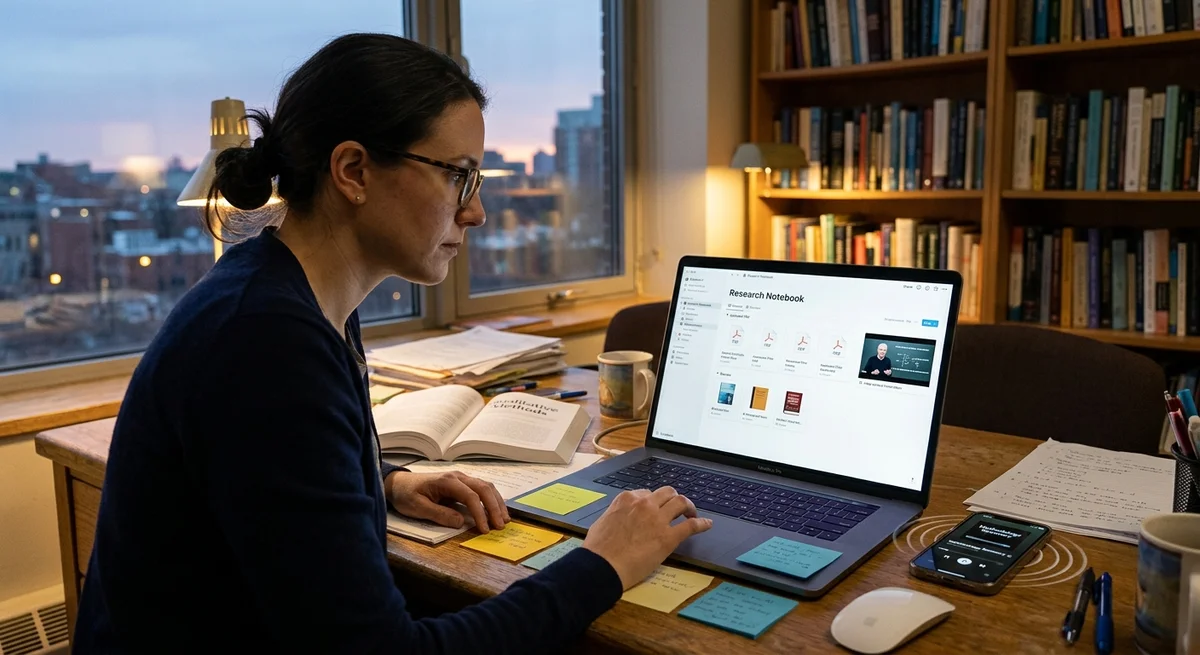
Google NotebookLM can turn from an ordinary AI notebook into a personal tutor in just a few minutes. The idea is to upload the best materials on a topic and ask questions not in the abstract but for a specific task, from analyzing a text to improving your chess play.
How the approach works
The guide author's scheme is very simple: create a new notebook in NotebookLM, add a set of sources, and phrase your request as if you were talking not to a generic chatbot but to a specialist with a particular school of thought. PDFs, articles, YouTube videos, spreadsheets and even mp3 files work as sources. After that, the model answers not "out of thin air" but based on the uploaded knowledge base, showing footnotes that point to the fragments it took its arguments from.
One example in the piece involves working with text. The author loaded a book, articles and videos on copywriting into NotebookLM, then asked the service to help with a headline for a draft article about the risk of unemployment due to AI. The logic is that NotebookLM does not just produce a set of generic tips but reproduces a specific author's approach and lets you refine the answer with a series of follow-up questions. This format is closer to a dialogue with an editor or teacher than to ordinary prompt-and-response.
"No need to storm the whole source."
What to build the knowledge base from
The guide's key idea is not to limit yourself to a single document. The better the selection, the more useful the final answers. If you gather several strong materials on one topic, NotebookLM starts to work as a convenient interface to a personal mini-library where you can quickly find recommendations, explanations and practical steps.
- Books and textbooks: for core principles, terminology and a systematic view.
- Articles and notes: for fresh examples, practice and short breakdowns.
- YouTube lectures and interviews: to capture experts' way of thinking and spoken explanations.
- Spreadsheets, summaries and notes: to tie advice to your own data and progress.
- MP3 and audio: to use the materials later in audio-summary mode.
As a second scenario, the author suggests learning chess. He uploads popular videos of Bobby Fischer, Magnus Carlsen and Soviet grandmasters, plus books on the subject, then asks quite practical questions: how to improve his play, which five mistakes recur most often, what one champion would advise versus another, and what plan would help him establish himself above a 1600 rating. This turns NotebookLM from an encyclopedia into a coach that works from the user's current level.
Where this is more useful
The main difference from chatting with general-purpose chatbots is the tie to a specific body of material. The guide puts this rather bluntly: the author believes standard answers often stay at a "good enough" level, while NotebookLM responds more deeply because it relies on the chosen sources. Even if you dispute that assessment, the practical advantage is obvious: the user sees where the advice came from and can quickly check how appropriate it is.
The approach is useful beyond studying. You can use it for editing texts, preparing for exams, analyzing mistakes in practice, creating personal learning tracks and planning next steps after studying a topic. Separately, the author recommends the audio summary feature: from the uploaded materials you can generate something like a mini-podcast, export the mp3 to your smartphone and listen on the go. This is especially useful when you have no time to sit in the interface and hold a long dialogue with the model.
Another practical detail: audio mode can be tuned not only "by source" but to your own question. For example, you can ask the service to discuss a topic with a focus on a particular market, task or constraint. Combined with browser bookmarks, this turns separate notebooks into permanent working tools: one for texts, another for chess, a third for business or research.
What this means
NotebookLM is increasingly becoming not just a place to store notes but an interface to your own knowledge base. For writers, specialists and students, it is one of the fastest ways to turn books, videos and documents into a working learning system that answers to the point and sticks to real sources.
- Nov 2, 2026Bun creator uses Claude Code to port 750K lines from Zig to Rust in 11 days
- Nov 2, 2026The Verge reviewer builds a $50 Meta Muse Charm alternative with Claude Code
- Nov 1, 202616 models tested on 7 search tools: Exa averaged 10.5 out of 14, SearXNG about 3
- Nov 1, 2026Google's StreamVibe video agent beats other models by 10.7% on response timing and quality
Key Questions Answered
How the approach works?
The guide author's scheme is very simple: create a new notebook in NotebookLM, add a set of sources, and phrase your request as if you were talking not to a generic chatbot but to a specialist with a particular school of thought. PDFs, articles, YouTube videos, spreadsheets and even mp3 files work as sources. After that, the model answers not "out of thin air" but based on the uploaded knowledge base, showing footnotes that point to the fragments it took its arguments from. One example in the piece involves working with text. The author loaded a book, articles and videos on
What to build the knowledge base from?
The guide's key idea is not to limit yourself to a single document. The better the selection, the more useful the final answers. If you gather several strong materials on one topic, NotebookLM starts to work as a convenient interface to a personal mini-library where you can quickly find recommendations, explanations and practical steps. Books and textbooks: for core principles, terminology and a systematic view. Articles and notes: for fresh examples, practice and short breakdowns. YouTube lectures and interviews: to capture experts' way of thinking and spoken explanations.
Where this is more useful?
The main difference from chatting with general-purpose chatbots is the tie to a specific body of material. The guide puts this rather bluntly: the author believes standard answers often stay at a "good enough" level, while NotebookLM responds more deeply because it relies on the chosen sources. Even if you dispute that assessment, the practical advantage is obvious: the user sees where the advice came from and can quickly check how appropriate it is. The approach is useful beyond studying. You can use it for editing texts, preparing for exams, analyzing mistakes in practice
Test Frontier LLMs & Autonomous Agents in One Workspace
Run Claude Opus 5.5, GPT-6, Gemini 3.1, and DeepSeek side-by-side in Nomad AI (nomadnet.ai) — unified model routing, deep research, and multimodal workflows under one subscription.
The AI world, distilled — once a week
Seven stories that actually mattered, hand-picked. No noise, no reposts, no press releases.
Done! Check your inbox for a confirmation.